Free online resume builder: a professional resume in minutes
With the Porsino resume builder you enter your details once and pick any of the 106 resume templates; the preview updates instantly. Resumes support right-to-left Persian and English, dates can be shown in the Persian calendar, you download PDF and Word in the same design, and you can send it to employers with one public link. Your first resume is free.
- 76 personal templates and 30 company profiles
- Persian or English
- PDF & Word in the same design
- Share link
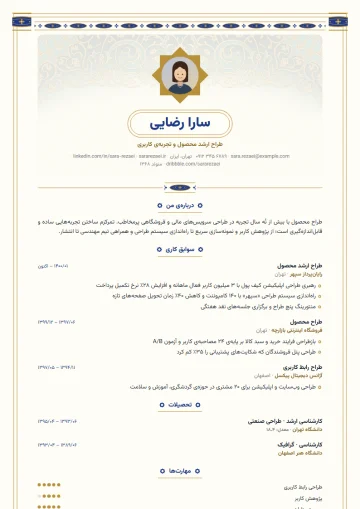
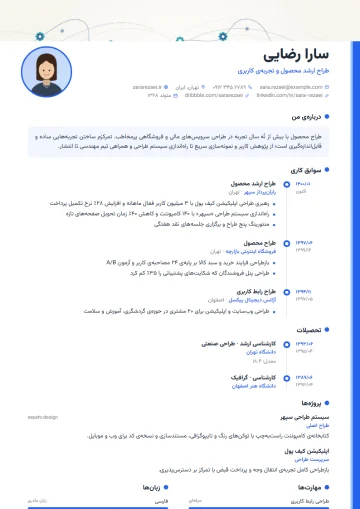
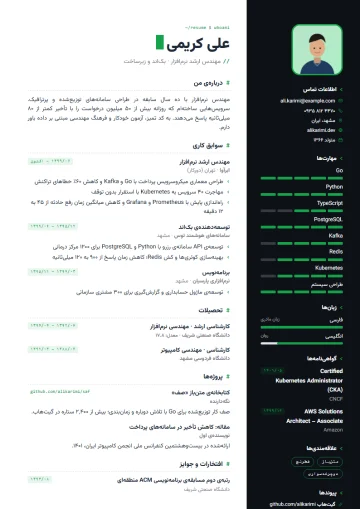
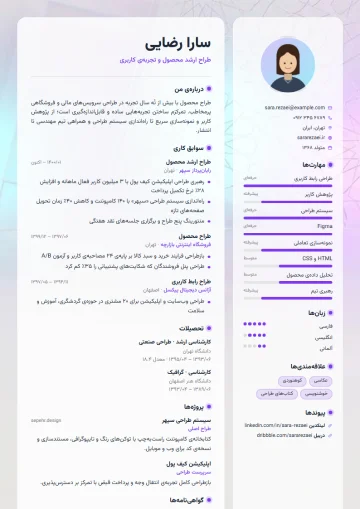
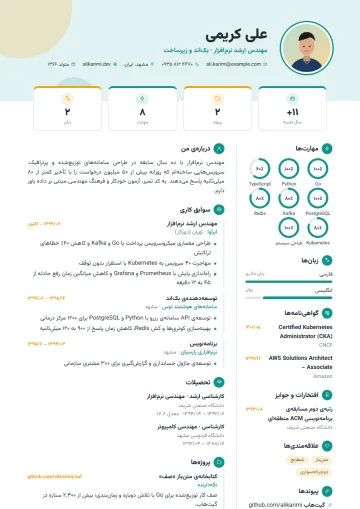
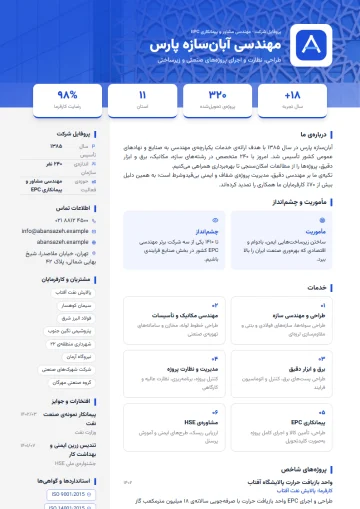
A few of the resume templates
Tap a template to see its details and the jobs it suits.
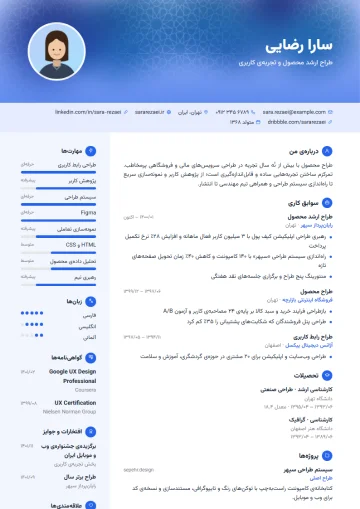
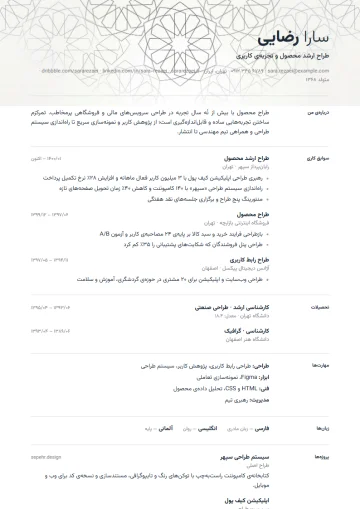
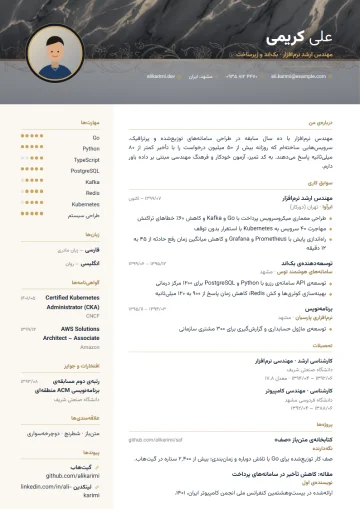
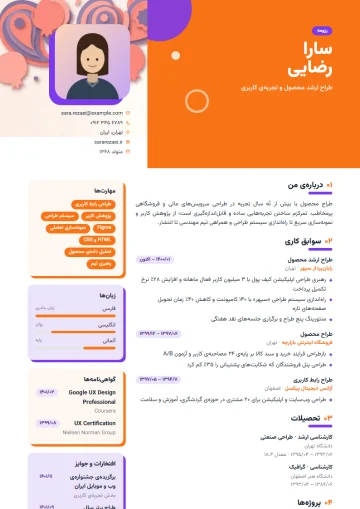
Build a resume online in four steps
The Porsino resume builder keeps content and design apart. What you write — experience, education, skills — is saved in a structured form, and the template only decides how it is displayed. That is why you can switch templates at any time without retyping a single line.
Choose a template
A personal resume or a company profile, the document language (Persian or English) and a template. If you like, start with sample content to see the complete look.
Enter your details
Every section has its own form: experience with achievement bullets, skills rated one to five, languages, certificates, projects and awards. A live preview sits next to the form.
Adjust the look
Change the accent color, font (Vazirmatn, Sahel or the system font), text size, photo shape and section order, or hide a section.
Download or share
PDF for sending and printing, Word for application forms that want an editable file, and a public link for LinkedIn, email or messages.
Why does a Persian-ready resume builder matter?
Most online resume builders are made for English only. Persian speakers know the results: disconnected letters, sentences that jumble when they mix numbers or Latin words, Gregorian-only dates and fonts that break in the PDF. The Porsino resume builder was designed right-to-left from the ground up:
Persian and English from one set of data
Pick the document language and the section titles, page direction and date format follow. Make an English version too for applications abroad or international companies.
Jalali calendar
You enter the month and year; Persian resumes show them in the Persian (Jalali) calendar, and your current job appears as “present”.
PDF & Word in the same design
The Word file is not a plain, unformatted text: it keeps the same colors and layout, and Persian fonts stay intact.
Public resume link
With one switch your resume gets a public page with a readable address (like porsino.com/cv/your-name) and a PDF download button. Turn it off whenever you like.
Customizable look
Color, font, text size, photo shape and section order. Switching templates never touches your data.
Company profiles too
For tenders, B2B sales or investor introductions, build a company profile with services, projects, clients, team and certifications.
What makes a good resume?
Recruiters usually spend only a few seconds on the first look at a resume. In that short window they look for three things: what you do, your level, and the results you have achieved. These rules help your resume get past that first screen:
- Keep the professional summary to three or four sentences: specialty, years of experience and one concrete achievement. “Sales specialist with six years in enterprise software sales; grew regional revenue 40% in two years” beats “organized and responsible person” every time.
- For every job, write achievements instead of duties and use numbers wherever you can: percentages, amounts, number of customers, time saved.
- Tailor the resume a little for each job ad. If you genuinely have them, use the ad’s job title and key skills in the same words; screening systems search for exactly those words.
- With less than ten years of experience, one page is enough; more than two pages is almost never needed. Hide less important sections instead of deleting them.
- Add a photo only when it is customary for that job; if you do, choose a formal photo with a plain background.
- Use a professional email address (ideally with your own name) and a reachable phone number; leave unnecessary personal data such as national ID numbers off your resume.
If you apply through job boards or large companies’ applicant tracking systems, pick a single-column template such as the simple templates; screening software reads linear text better than graphic layouts. For sending straight to a hiring manager, the modern and creative templates are great too.
Which resume template suits you?
| If you… | Look at this category | Why |
|---|---|---|
| apply through job boards | Simple (Minimal, Two-column) | Linear structure that applicant tracking systems can read |
| work in marketing, sales or product | Modern (Modern, Timeline, Tech) | Colored header and visible skills |
| are a designer or artist | Creative (Creative, Glass, Infographic) | The resume itself is your portfolio |
| apply to a bank, public office or senior management | Formal (Formal, Executive, Photo) | Personal details table, dignified header |
| are a researcher or applying to universities | Academic | Publications and research come first |
| work in culture and the arts | Persian and Elegant | Illumination, shamseh medallions and refined typography |
Is the resume builder free?
Yes. With a free account you build resumes, use the 12 free templates and get PDF, Word and a public link; only a small “Made with Porsino” mark appears at the bottom of the document. If you want more resumes, all templates or documents without the mark, you activate the “Resume Pro” plan:
| Feature | Free account | With “Resume Pro” |
|---|---|---|
| Number of resumes | Limited | Unlimited |
| Available templates | 12 templates | All 106 templates + company profiles |
| “Made with Porsino” mark | Included | None |
| PDF, Word and public link | ✓ | ✓ |
Resume builder FAQ
Is building a resume on Porsino really free?
Yes. With a free account you build resumes with the 12 free templates and get PDF, Word and a public link. The only difference is a small “Made with Porsino” mark at the bottom of the document, which the “Resume Pro” plan removes.
If I change the resume template, is my data lost?
No. Resume data is stored independently of the template; switching templates only changes the look, and all your experience, skills and settings stay where they are.
Can I build an English resume too?
Yes. When creating it, or later in the editor, set the document language to English and the section titles, page direction and date format switch to English. To keep both versions, duplicate the resume and change the language of one copy.
Does the Word export look the same as the PDF?
Yes. The Word file is generated with the same colors, layout and Persian font, so if an application form or employer asks for an editable file, your resume isn’t delivered plain and lifeless.
How does the public resume link work, and does my resume stay private?
Resumes are private by default. When you turn on “Share”, a readable address like /cv/your-name is created that anyone can open to view the resume and download the PDF. Turn sharing off and the page is taken down immediately.
Can applicant tracking systems (ATS) read resumes made with Porsino?
Single-column templates such as Minimal, Formal and Academic have a linear structure and suit screening systems best. More graphic templates such as Infographic are best for sending directly to a hiring manager.
Related pages
- Resume examples100+ resume and company profile templates; a preview of each and the jobs it suits.
- Company profile and corporate resume30 company profile templates for tenders, B2B sales and investor introductions.
- Online form builderAny form with 62 field types, conditional logic, special themes and live reports.
- Online certificatesPDF certificate and report card with a verification code and QR.
Guides for organizations
All posts- Employee Satisfaction Surveys: How to Get Honest AnswersThe biggest problem with workplace surveys isn't question design; it's that employees don't believe the survey is anonymous.2 min read
- One Response Per Person: Why Browser-Based Limits Aren't EnoughThe "one response per person" option in most form builders relies on a cookie — and is defeated by an incognito window.2 min read
- Online Leave Request Forms: From Paper to WorkflowTaking a leave form online isn't just replacing paper. If you don't get the approval path and the balance calculation right, it creates more work, not less.2 min read
Build your first resume right now
Pick a template, enter your details and get a PDF — free, no bank card needed.